
Agencies and advertising
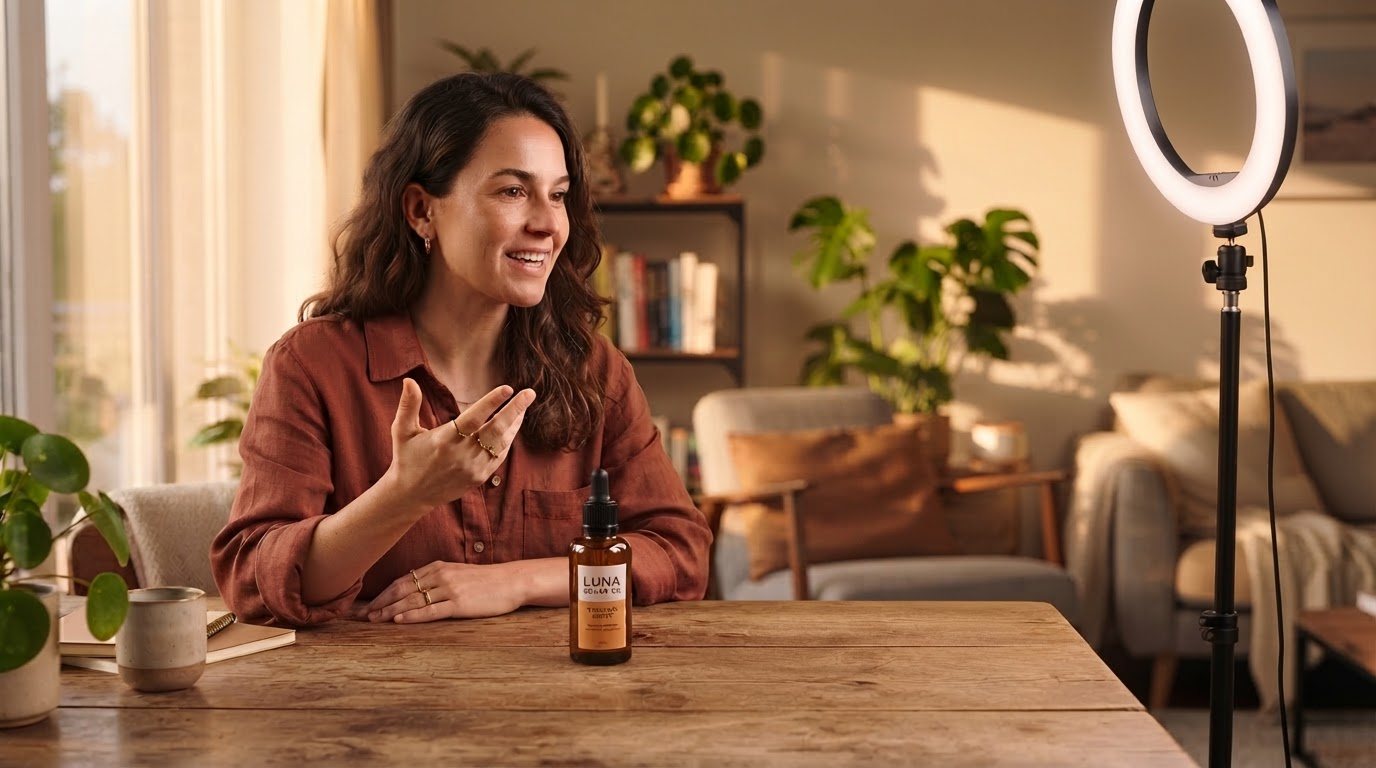
Brief a hundred creators with one file. Every UGC video comes back with the client’s logo and caption style, the product names spelled right.
One brief · many creators
New for iPhone Duo · On every iPhone
Take01 is a teleprompter for founders, creators and coaches who film themselves talking to camera. It follows your voice, and gives you captions spelled exactly the way you wrote them.

Who it's for
A teleprompter for people who film themselves, on their own. No crew, no one holding the phone.
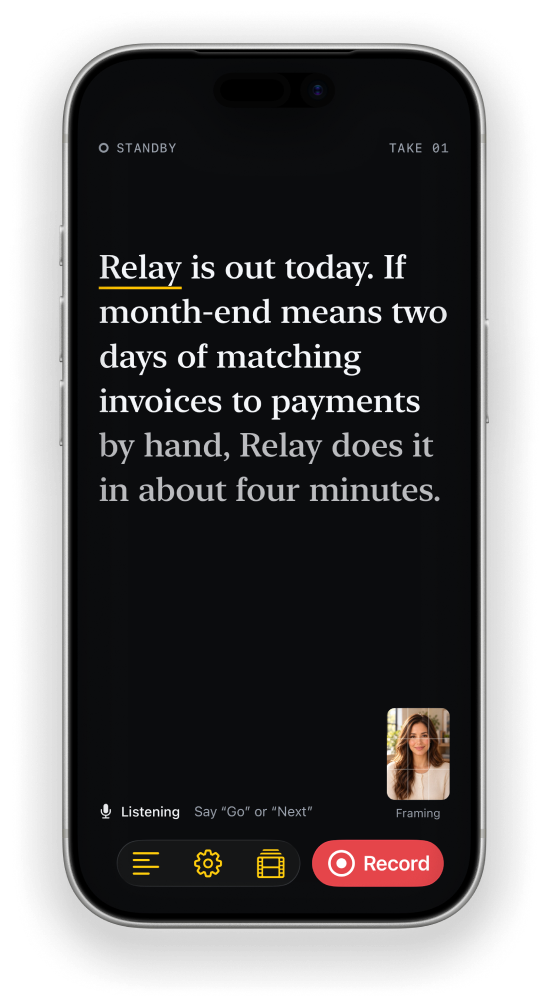
Relay is out today. If month-end means two days of matching invoices to payments by hand, Relay does it in about four minutes.
What it does
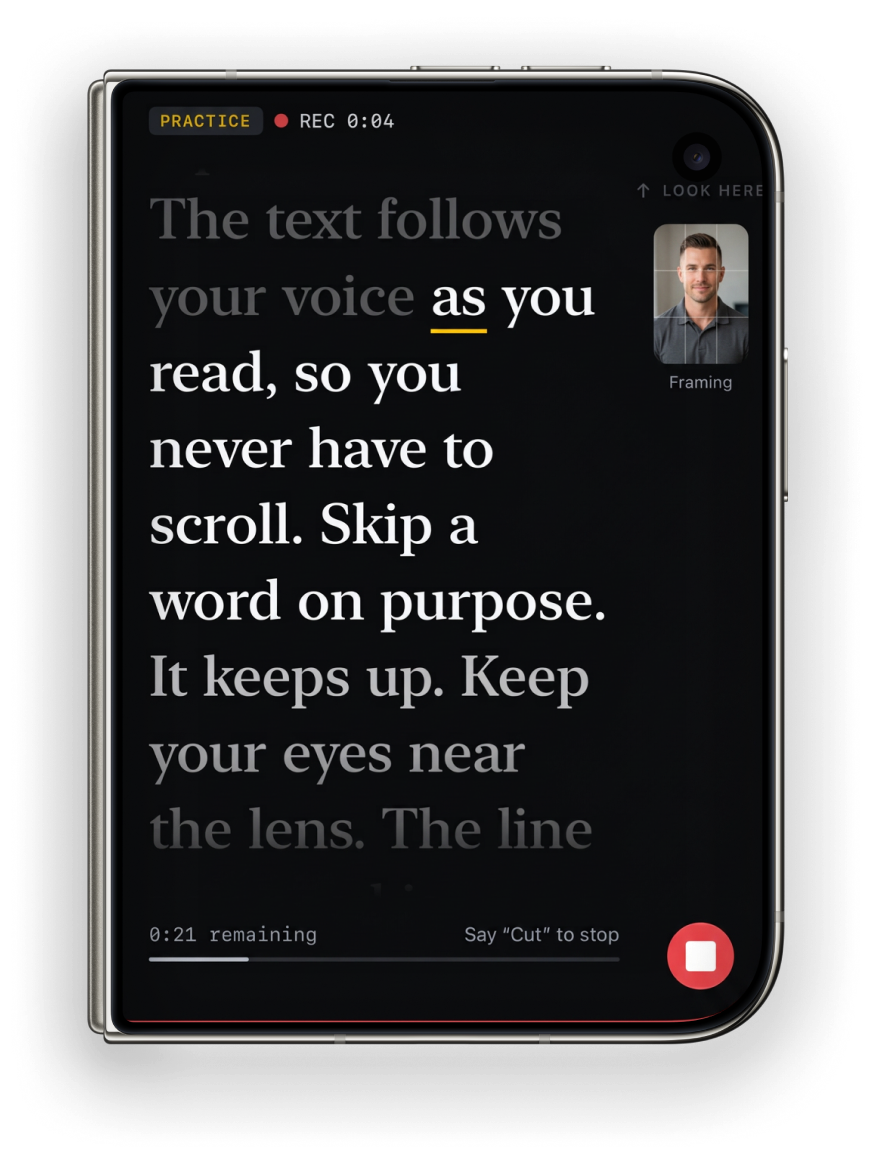
Voice follow
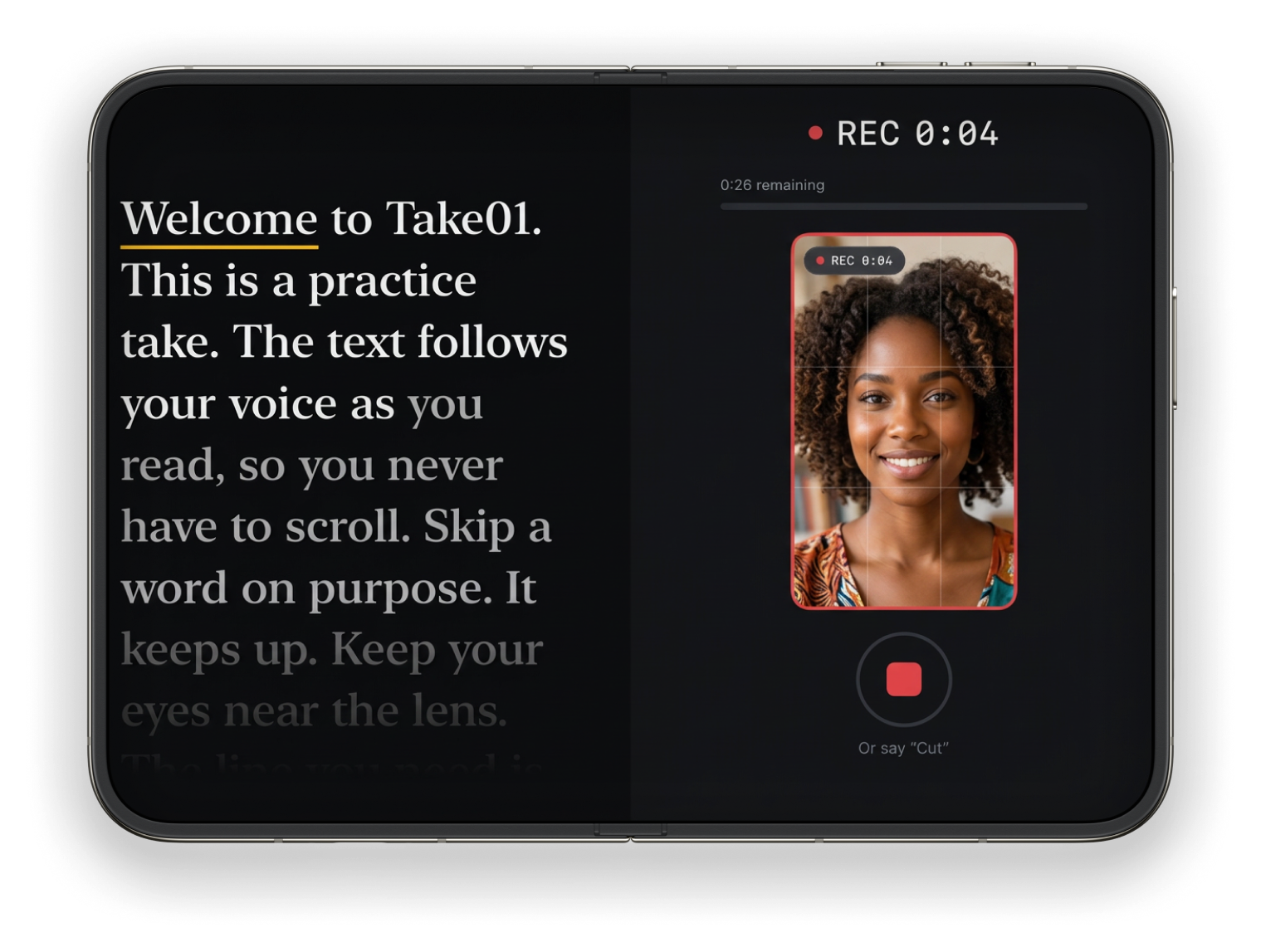
No scroll speed to set. The script moves as you read, keeps up when you skip a word and waits when you pause.
Six languages for voice commands.
Captions
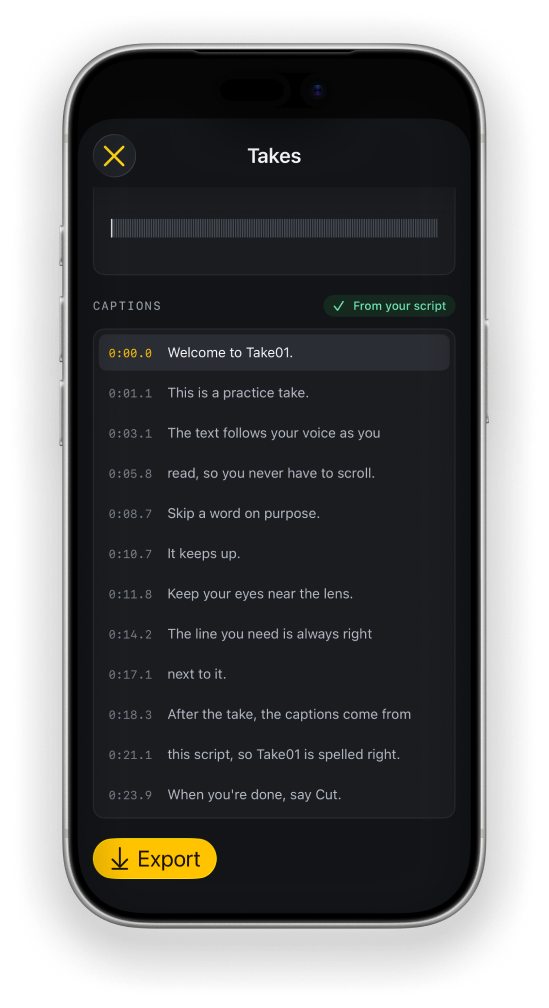
Captions come from your script, timed to your voice, so product names, brands and jargon come out exactly as you wrote them.
Caption style

iPhone Duo
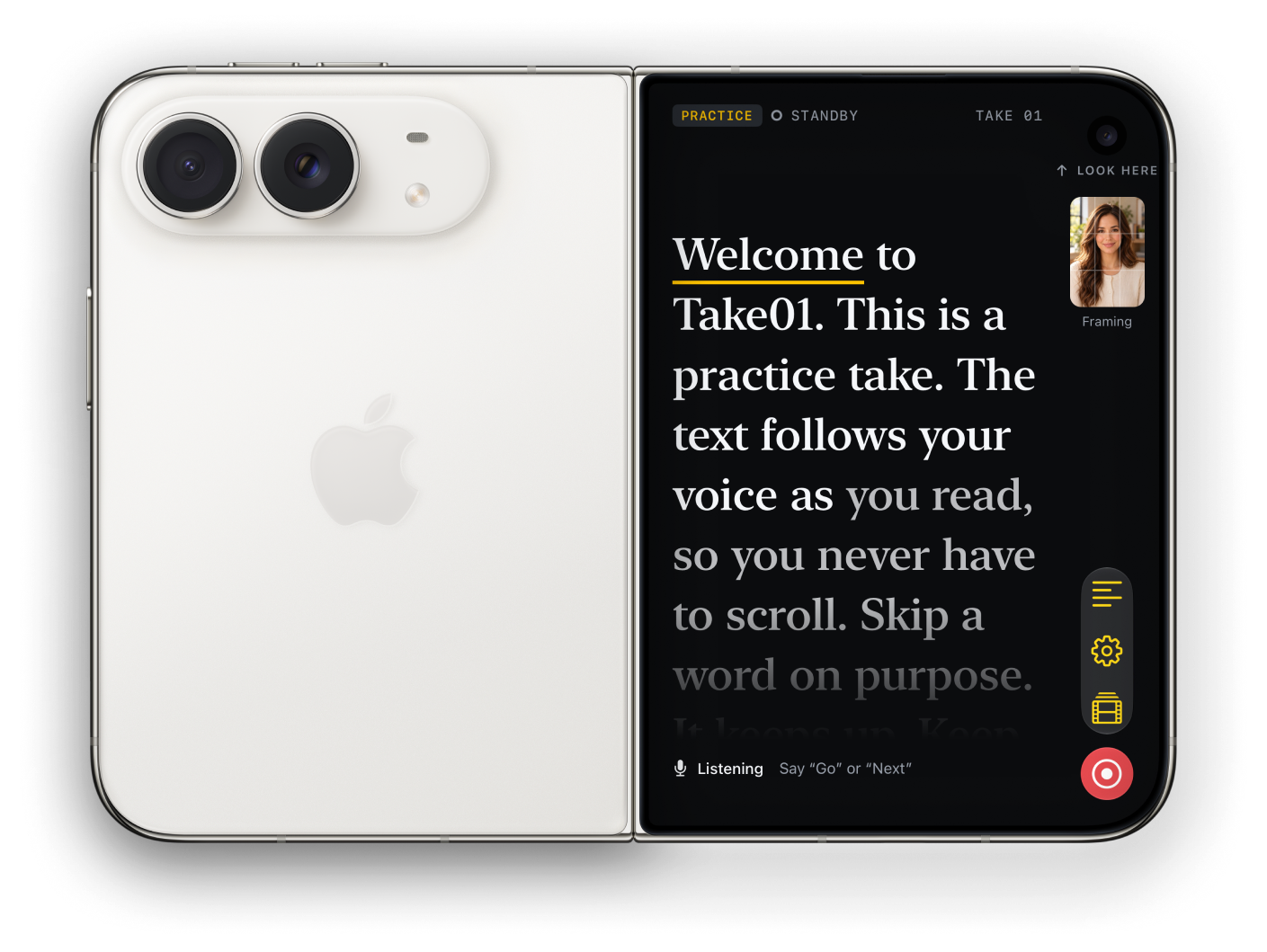
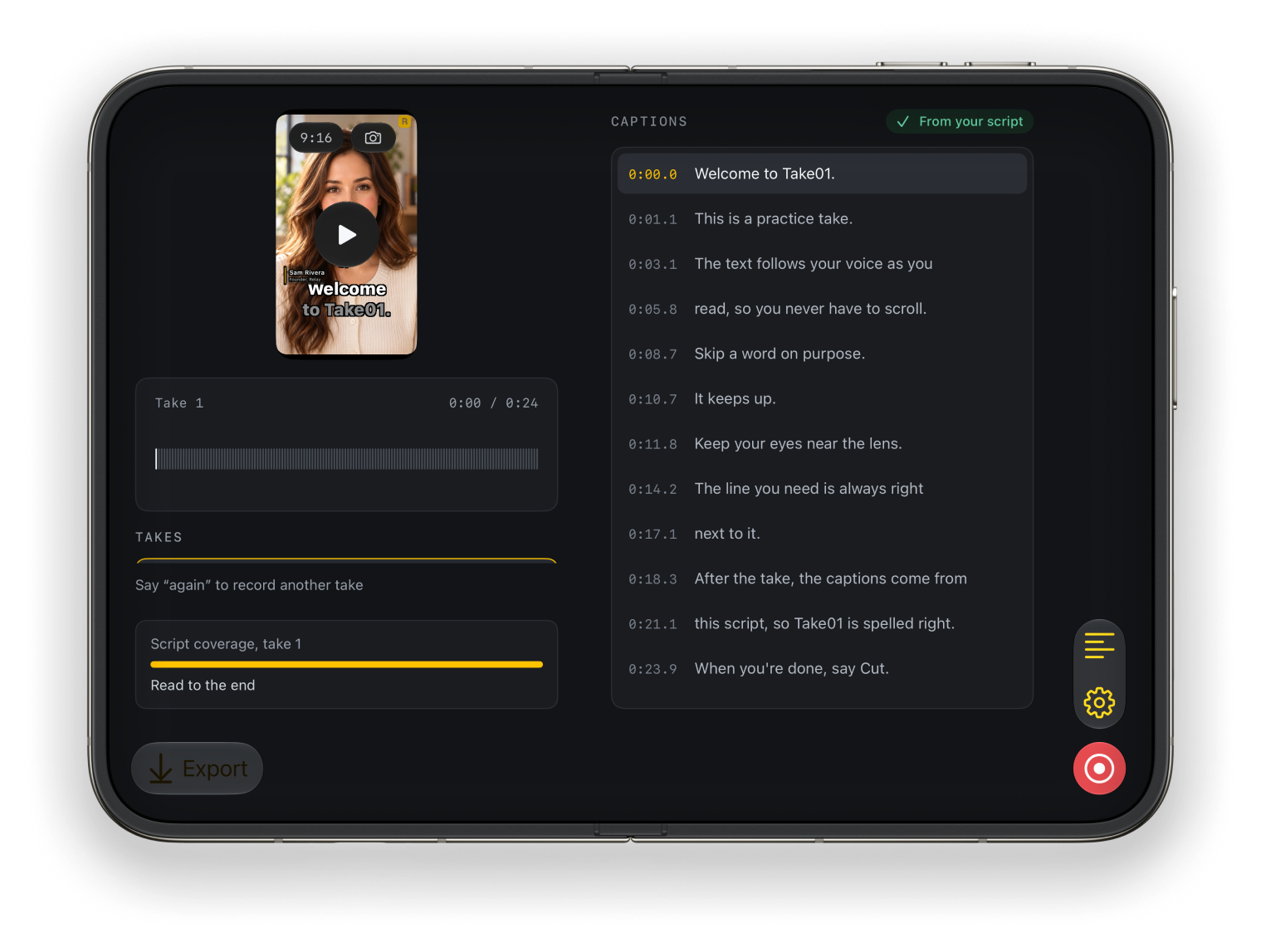
Stand the Duo half open: the script on the outer screen beside the camera, your live shot big on the inner screen. Framing hints keep you centred.
Duo position
Script outside, your shot inside.
Export
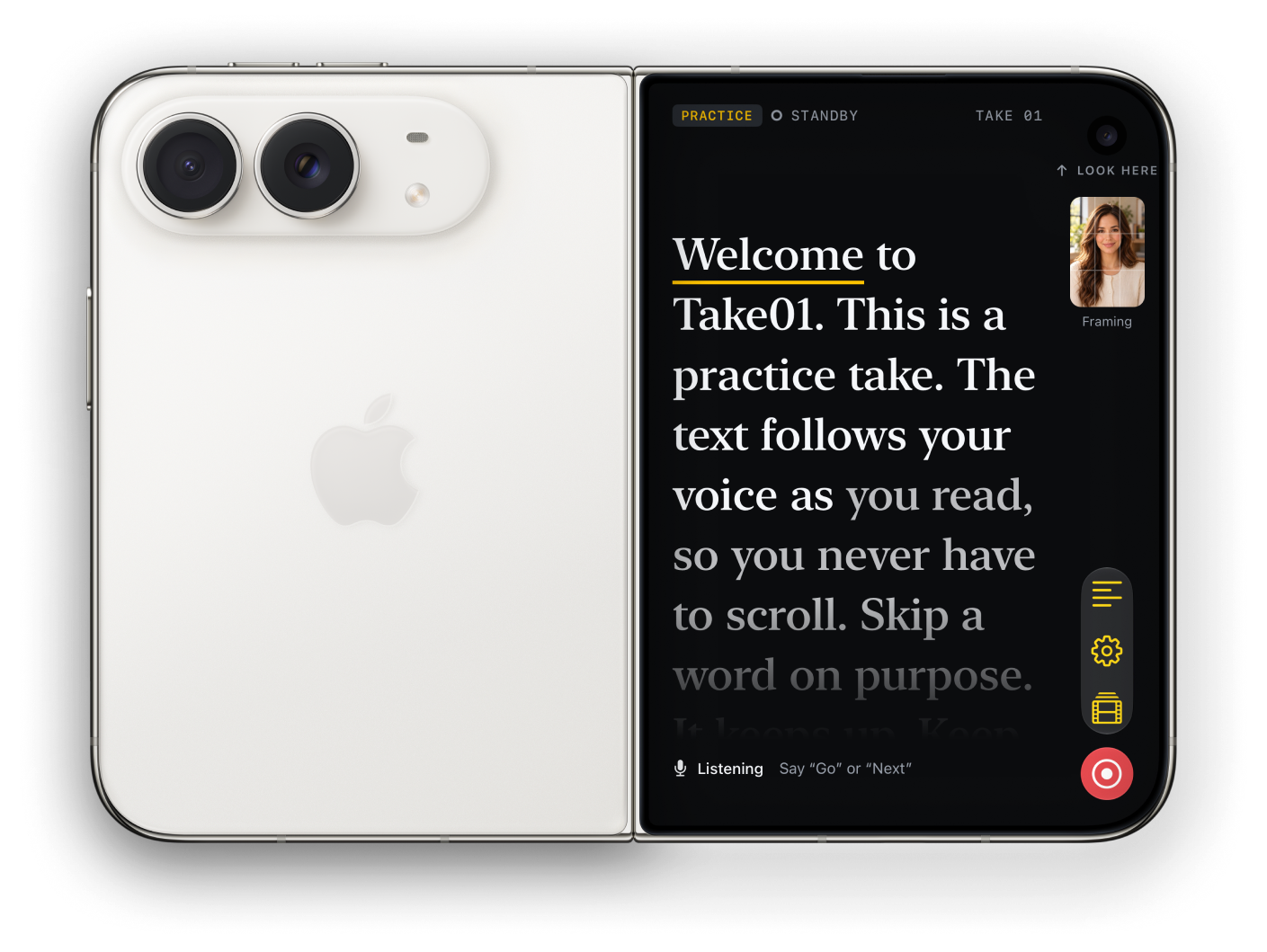
9:16 for Reels, Shorts and TikTok, 1:1 for feeds, 16:9 for YouTube, with captions burned in or without.
Export an SRT file too.
Export format
Relay is out today.Branding and campaign packs
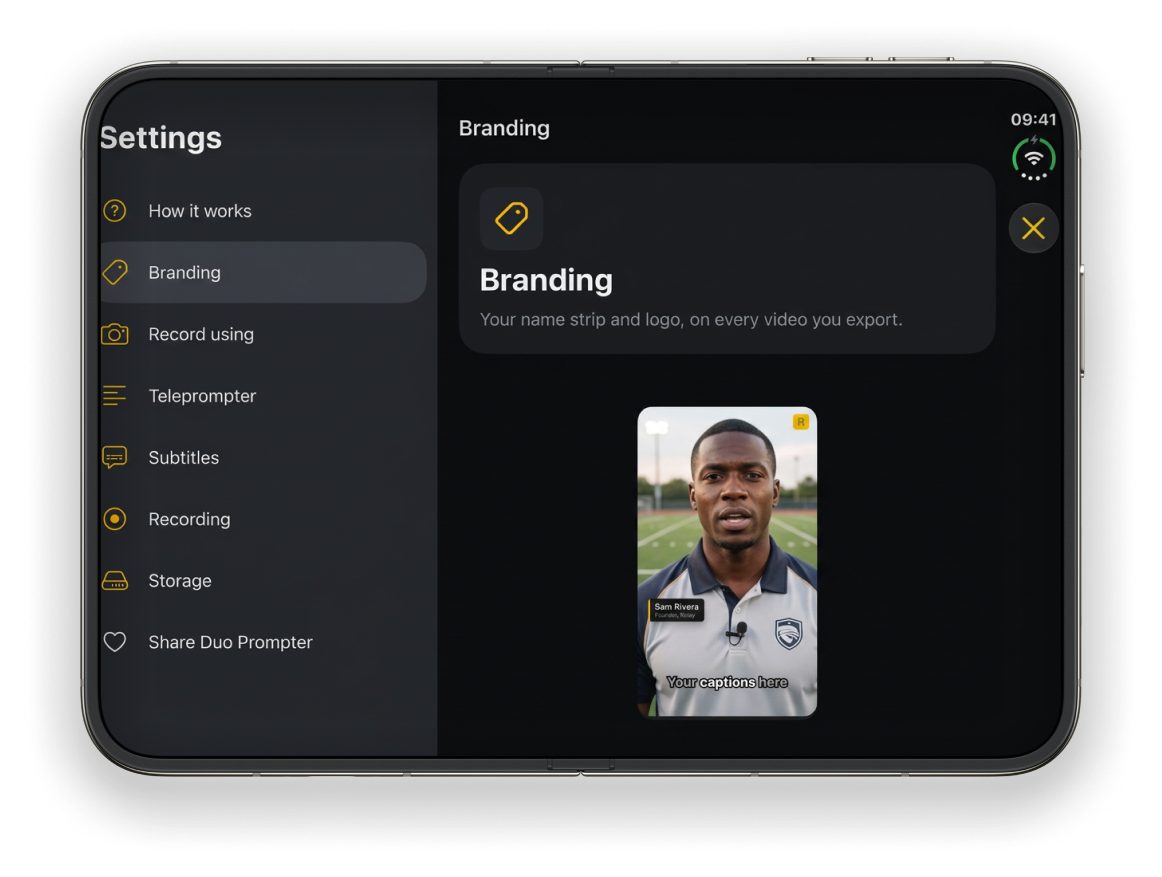
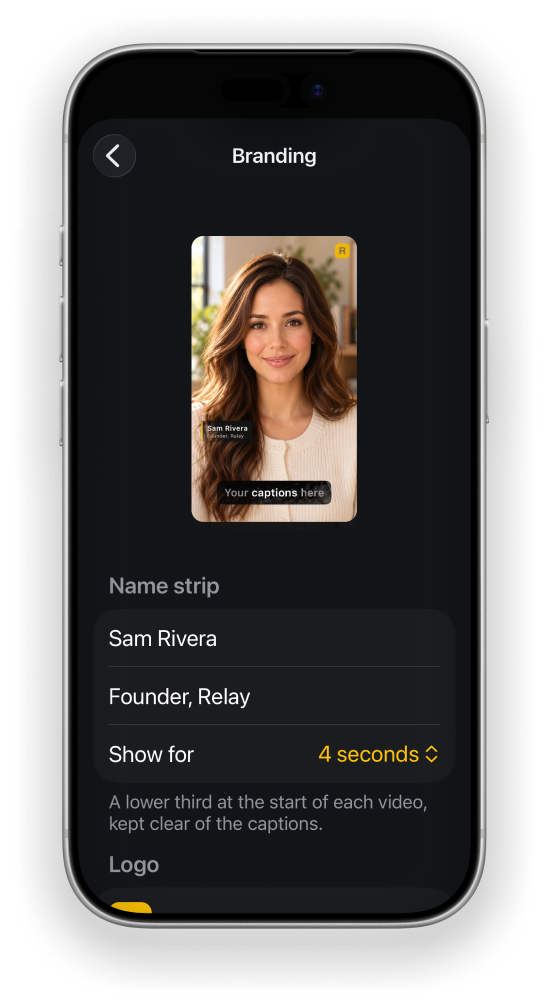
Set your name strip and logo once and they go on every export, while your takes stay clean. Then pack a script with your logo and caption style into one file, send it, and get the video back already on brand. Whoever opens it records on their own iPhone and adds their own name.
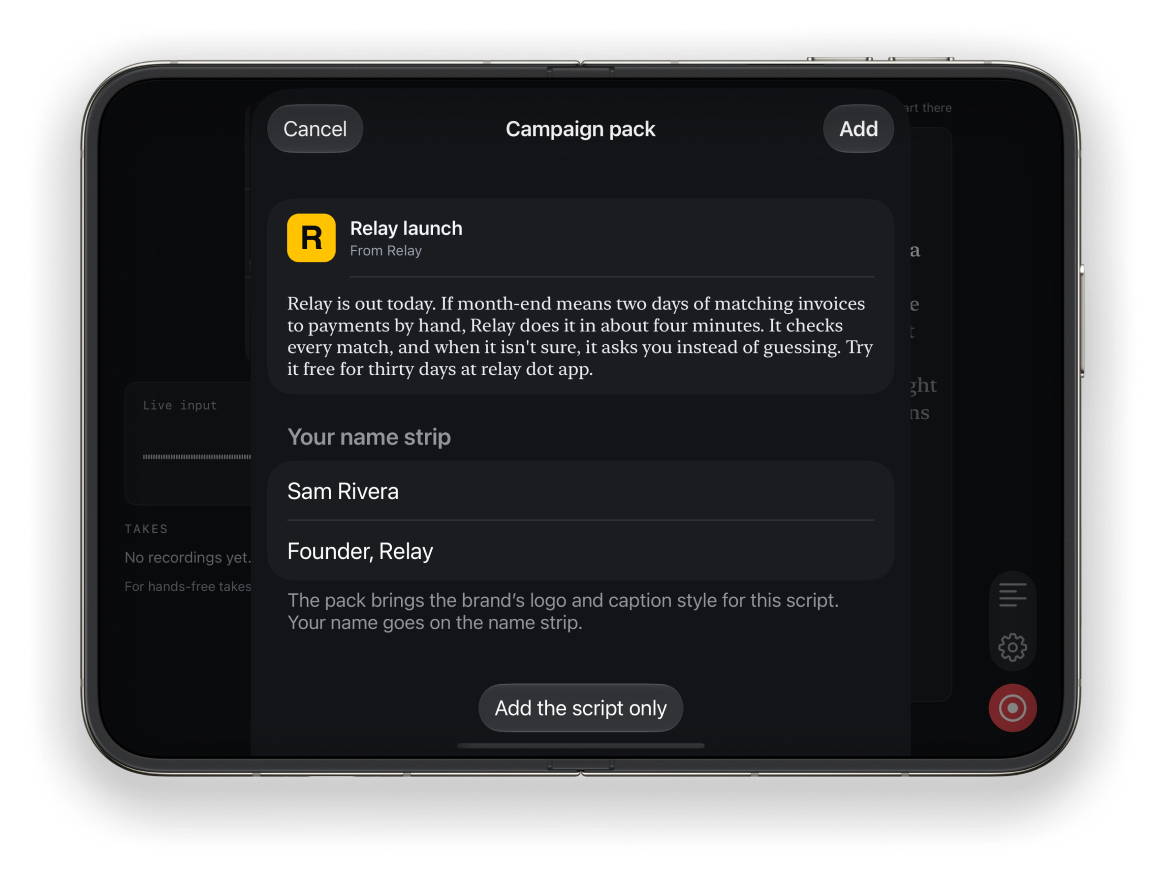
Brief a hundred creators with one file. Every UGC video comes back with the client’s logo and caption style, the product names spelled right.
One brief · many creators
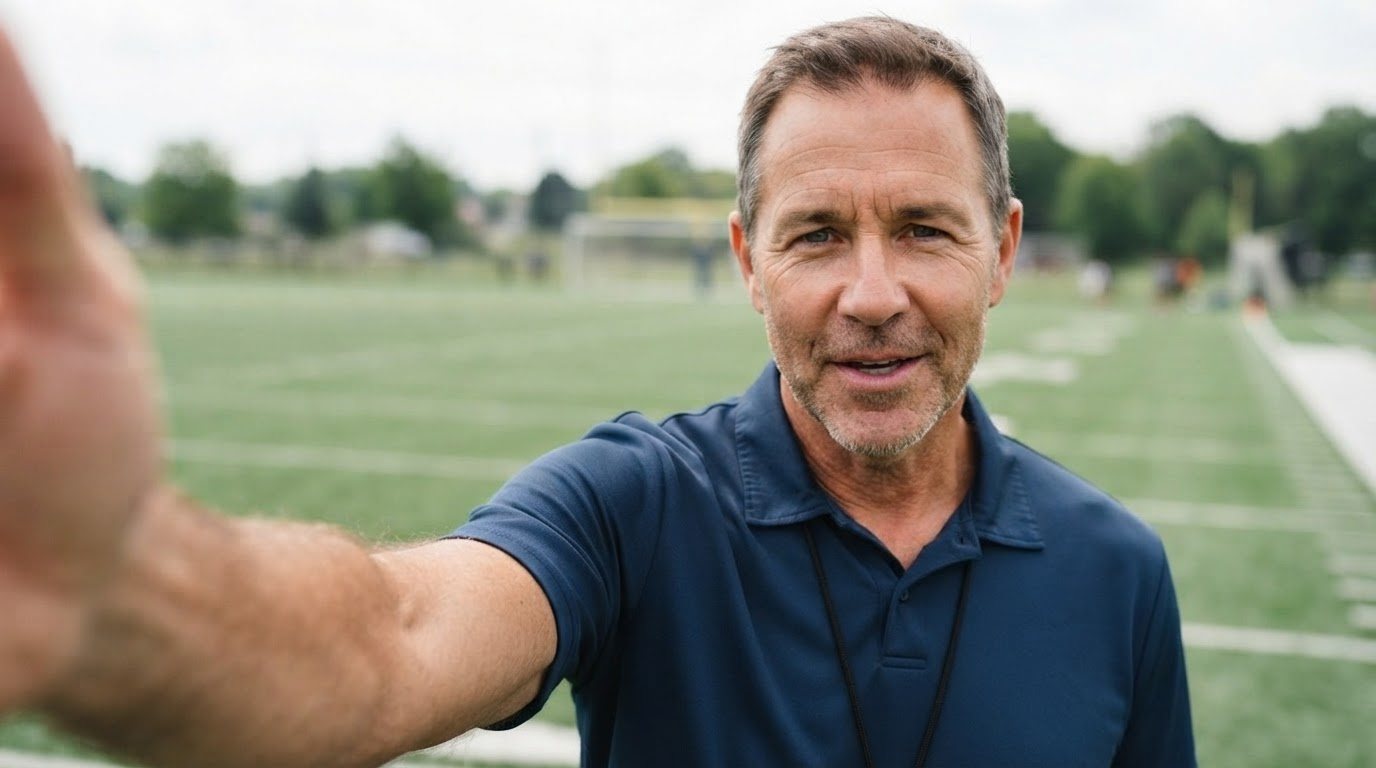
Send lines to actors and presenters. They record takes at home with the script right by the lens, so they look at you, not at a page.
Lines · takes at home
Send scenes, interview questions or host copy to cast and contributors, and get takes back in your house style.
Scripts · remote contributors
Every iPhone
The script scrolls right under the front camera, so your eyes stay near the lens. Same voice follow, same captions, same exports.
FAQ
No. Take01 works on every iPhone with iOS 26 or later. On iPhone Duo it uses both screens: the script on the outer screen right beside the camera, your shot and the studio on the inner screen.
Speech recognition runs while you record and matches what you say to the script. Skip a word or stumble and it keeps up. Pause and it waits.
Voice commands work in English, Portuguese, Spanish, French, German and Italian. Voice follow works in many more languages your iPhone recognises.
Yes. Captions are built from your script, not from a guess at your audio, so names, brands and jargon come out exactly as you typed them.
No. There is no account and no server. Scripts, takes and exports stay on your iPhone until you share them.
9:16 for Reels, Shorts and TikTok, 1:1 for feeds and 16:9 for YouTube, with captions burned in or without, or just the captions file (SRT).
Yes. Set a name strip and logo once in Settings › Branding and they go on every export. Your original takes stay clean.
Write to us from the Support page. A screenshot or a short screen recording helps us answer faster.
Download it, read the practice script
and see your captions in a minute.
iPhone Duo and every iPhone with iOS 26 or later